
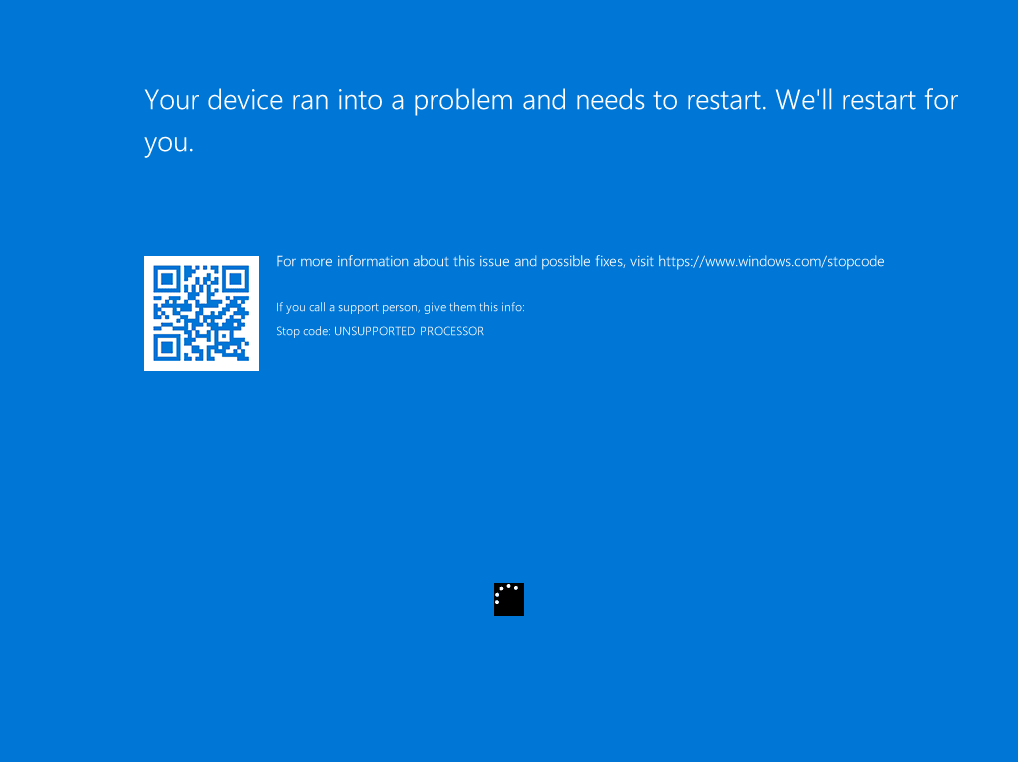
What is a Blue Screen of Death (BSoD)?
You're working or gaming, and suddenly: your screen turns blue with a sad emoji `:(`, an error code, and your PC abruptly restarts. This is known as a BSoD (Blue Screen of Death).
While this warning can be alarming, it is actually a Windows safety mechanism. When the system detects a critical error it cannot resolve on its own, it immediately stops the PC to protect your hardware components and data storage.
atelier
The 4 most common causes of a blue screen
In 90% of cases, BSoD is triggered by one of these factors:
- Outdated or corrupted drivers: A faulty graphics card or network driver update.
- Processor overheating: Accumulated dust or dried-up thermal paste.
- RAM memory issues: A faulty or improperly seated memory stick.
- Recent Windows update: A conflict between a system update and software.
Easy steps to try at home
Follow these step-by-step instructions to try resolving the issue:
- ✓Step 1: Restart your PC and note the error code (or scan the QR code on screen).
- ✓Step 2: Run Windows Update to update all your drivers and security patches.
- ✓Step 3: Uninstall recently added software or USB devices.
- ✓Step 4: Run a memory test (search for « Windows Memory Diagnostic » in the search bar).
What if the blue screen keeps looping?
If your computer repeatedly reboots into a blue screen without loading Windows, the problem might be hardware-related (failing SSD, defective RAM, CPU overheating).
In this case, avoid repeated forced reboots to prevent damaging your system files further.
Does a blue screen mean my computer is permanently broken?
Not at all! Most blue screens are caused by software or driver issues. Even with hardware failure, replacing a RAM stick or SSD is often enough to restore the PC to full health.
Will I lose all my data during a BSoD?
No, data saved on your hard drive or SSD is not deleted by a blue screen. You only risk losing unsaved work from the exact moment of the crash.
MediaStreet Repair Workshop
Is your PC still crashing on a blue screen?
Bring your computer to our experts. We perform a complete hardware and software diagnosis to resolve the issue.
Bring my PC to the workshop